Combining results is not just appending.UNIONdeduplicates,UNION ALLpreserves, and intersection is logic — group and count — when no direct command exists.
UNION is one of those topics that triggers school memories: set theory, merging lists, intersection. That familiarity is comforting, and also dangerous — most learners treat UNION like a simple “add these two tables” button. SQL isn’t only about combining data; it’s about combining with meaning intact.
UNION combines results from two or more SELECT statements and removes duplicate rows.
When you run UNION, you’re not saying “append table B to table A.” You’re saying “create one combined result set, and ensure rows are unique.” That means UNION does two jobs:
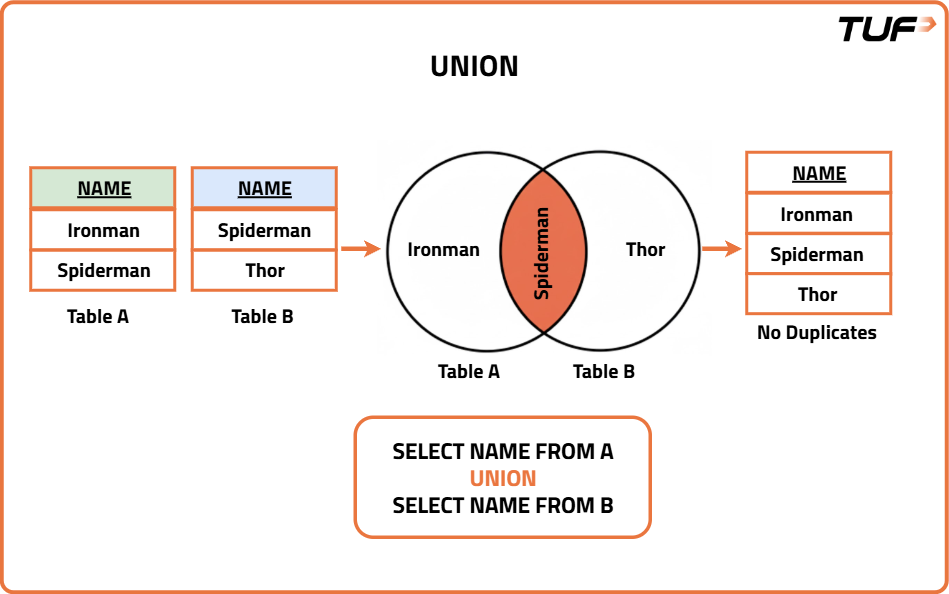
Superhero example:
-- UNION removes duplicate row
SELECT hero FROM heroes_a
UNION
SELECT hero FROM heroes_b;
SELECT hero FROM heroes_a
UNION
SELECT hero FROM heroes_b;Key: SQL decides duplicates by comparing the entire row — not just name or ID — position-by-position.
UNION ALL merges results but does not remove duplicates — so it is faster. Duplicate elimination is work (row comparison and filtering).
Use UNION ALL when:
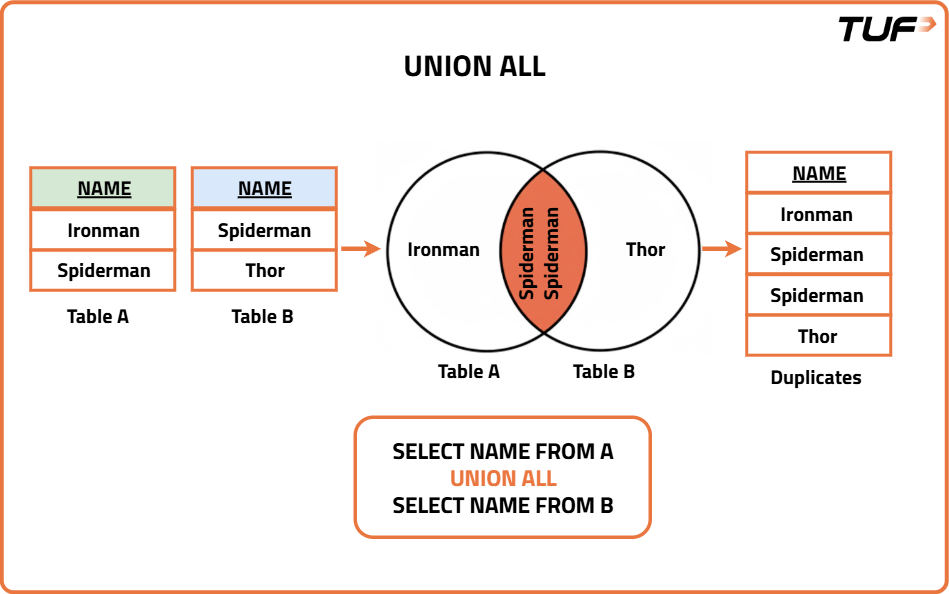
Same tables, UNION ALL:
SELECT hero FROM heroes_a
UNION ALL
SELECT hero FROM heroes_b;
SELECT hero FROM heroes_a
UNION ALL
SELECT hero FROM heroes_b;UNION ALL does not check for duplicates — no comparison, no filtering, just appends.
| Feature | UNION | UNION ALL |
|---|---|---|
| Duplicates | Removes duplicates | Keeps duplicates |
| Performance | Slower (due to deduplication) | Faster (no deduplication) |
| Use Case | When unique records are required | When all records are needed |
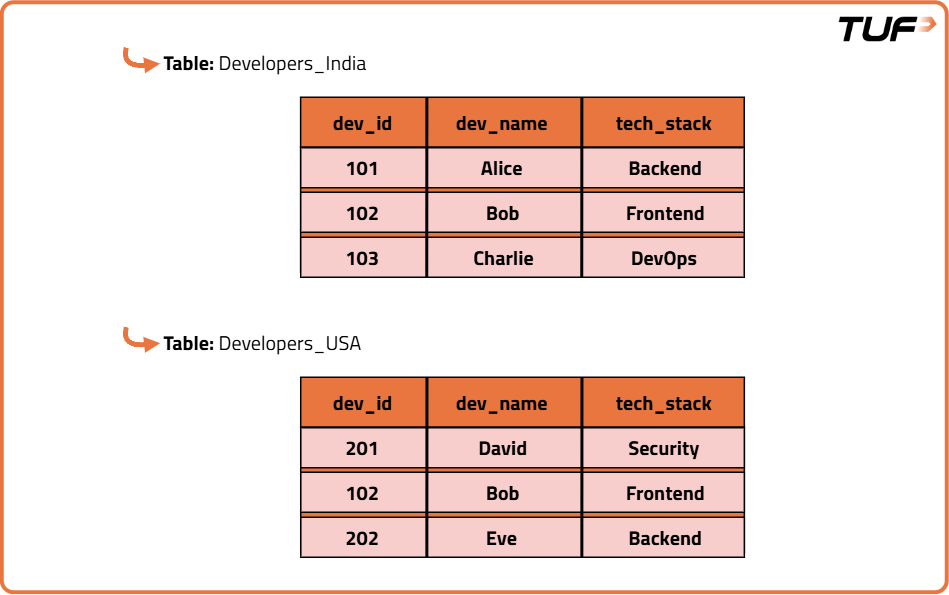
Table A: Spider-Man, Table B: Spider-Man — UNION vs UNION ALL?
There is no straightforward INTERSECTION in older MySQL the way UNION exists. If you want intersection, you must build it — and this is where SQL becomes a thinking chapter.
Idea:
UNION ALL)That’s the SQL mindset: if no direct command, express the result through logic.
-- Intersection via GROUP BY + HAVING
SELECT hero, COUNT(*) AS cnt
FROM (
  SELECT hero FROM heroes_a
  UNION ALL
  SELECT hero FROM heroes_b
) AS combined
GROUP BY hero
HAVING COUNT(*) > 1;
-- PostgreSQL has INTERSECT directly
SELECT hero FROM heroes_a
INTERSECT
SELECT hero FROM heroes_b;
-- Or same workaround as SQL:
SELECT hero FROM (
SELECT hero FROM heroes_a UNION ALL SELECT hero FROM heroes_b
) t GROUP BY hero HAVING COUNT(*) > 1;| hero | cnt |
|---|---|
| Spider-Man | 2 |
Only Spider-Man appears in both — intersection is count > 1. For multi-column rows, GROUP BY compares the entire row.
UNION = combine + dedupe (entire row compare); UNION ALL = combine, keep duplicates, faster
Hero A: Iron Man, Spider-Man + B: Spider-Man, Thor → UNION = 3 rows, UNION ALL = 4 rows
Use UNION when unique required; UNION ALL when preserving all or for speed
MySQL older: no INTERSECT → UNION ALL + GROUP BY hero HAVING COUNT(*) > 1
PostgreSQL: SELECT … INTERSECT SELECT …
Logic: if no command, express via grouping and counting
Primary sources: MySQL UNION · Postgres UNION/INTERSECT. Ask me anything that's unclear.
Questions? Ask your agent — you can follow up on any concept, quiz answer, or how this applies to a specific query. Review the SQL glossary or syntax quick reference for a compressed overview.