Reading is not enough. Real apps add new rows, change existing values, and remove what is no longer needed. WHERE decides which rows are touched — get it wrong and you change everything.
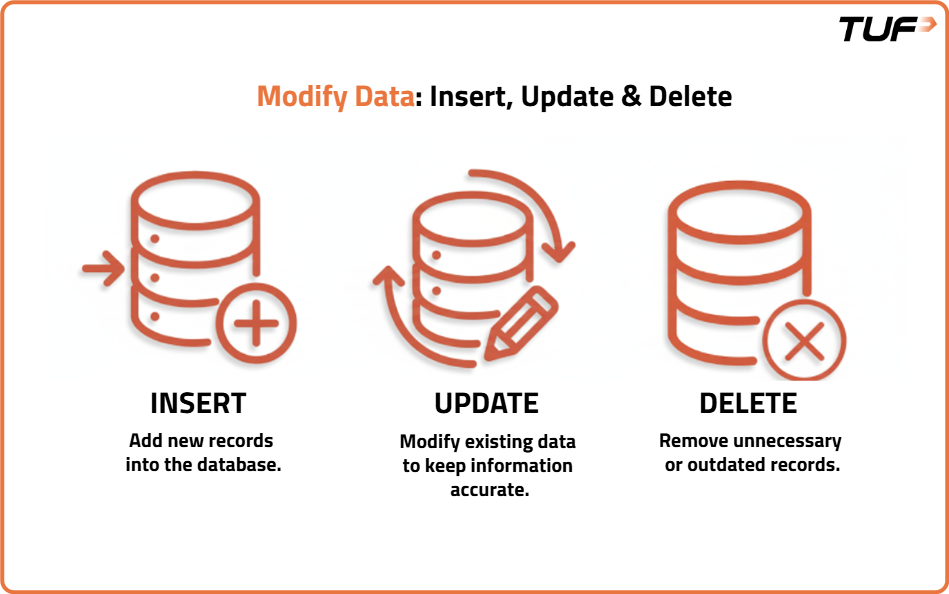
Every real application needs to add new information, update existing records, and remove outdated data. This chapter covers the three essential write operations — INSERT, UPDATE, DELETE — plus UPSERT, ALTER, and TRUNCATE, with the critical role of WHERE.
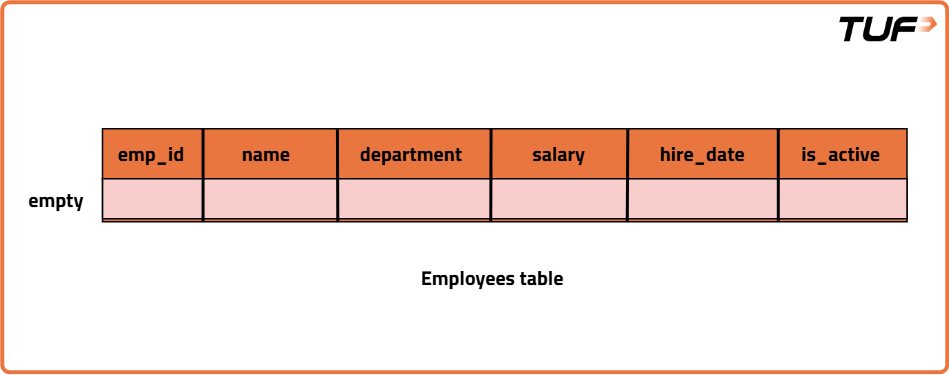
employees(
  emp_id INT PRIMARY KEY,
  name VARCHAR(100),
  department VARCHAR(50),
  salary DECIMAL(10,2),
  hire_date DATE,
  is_active BOOLEAN
)
CREATE TABLE employees (
  emp_id INT PRIMARY KEY,
  name VARCHAR(100) NOT NULL,
  department VARCHAR(50) NULL,
  salary DECIMAL(10,2) NOT NULL,
  hire_date DATE NOT NULL,
  is_active BOOLEAN NOT NULL DEFAULT TRUE,
  CONSTRAINT chk_salary_nonnegative CHECK (salary >= 0)
);
CREATE TABLE employees (
emp_id INT PRIMARY KEY,
name VARCHAR(100) NOT NULL,
department VARCHAR(50),
salary DECIMAL(10,2) NOT NULL,
hire_date DATE NOT NULL,
is_active BOOLEAN NOT NULL DEFAULT TRUE,
CONSTRAINT chk_salary_nonnegative CHECK (salary >= 0)
);Task: Add Neha Sharma (301, Sales, 55000.00, 2024-03-11, TRUE). Best practice: always specify column order — relying on table order is risky if schema changes.
INSERT INTO employees (emp_id, name, department, salary, hire_date, is_active) VALUES
(301, 'Neha Sharma', 'Sales', 55000.00, '2024-03-11', TRUE);
INSERT INTO employees (emp_id, name, department, salary, hire_date, is_active) VALUES
(301, 'Neha Sharma', 'Sales', 55000.00, '2024-03-11', TRUE);emp_id unique, salary decimal, hire_date date, is_active boolean, CHECK salary >=0)Insert multiple rows — comma-separated:
INSERT INTO employees (emp_id, name, department, salary, hire_date, is_active) VALUES
(302, 'Ishan Gupta',  'Engineering', 110000.00, '2023-08-20', TRUE),
(303, 'Priya Singh',  'Support',      45000.00, '2024-07-01', TRUE),
(304, 'Karan Joshi',  'Engineering',  95000.00, '2022-02-14', FALSE),
(305, 'Meera Nair',   '',             50000.00, '2025-03-01', TRUE),
(306, 'Omar Farooq',  NULL,           62000.00, '2025-04-18', TRUE),
(307, 'Ananya Das',   'Finance',      72000.00, '2024-10-05', TRUE);
INSERT INTO employees (emp_id, name, department, salary, hire_date, is_active) VALUES
(302, 'Ishan Gupta', 'Engineering', 110000.00, '2023-08-20', TRUE),
(303, 'Priya Singh', 'Support', 45000.00, '2024-07-01', TRUE),
(304, 'Karan Joshi', 'Engineering', 95000.00, '2022-02-14', FALSE),
(305, 'Meera Nair', '', 50000.00, '2025-03-01', TRUE),
(306, 'Omar Farooq', NULL, 62000.00, '2025-04-18', TRUE),
(307, 'Ananya Das', 'Finance', 72000.00, '2024-10-05', TRUE);| emp_id | name | department | salary | hire_date | is_active |
|---|---|---|---|---|---|
| 301 | Neha Sharma | Sales | 55000.00 | 2024-03-11 | TRUE |
| 302 | Ishan Gupta | Engineering | 110000.00 | 2023-08-20 | TRUE |
| 303 | Priya Singh | Support | 45000.00 | 2024-07-01 | TRUE |
| 304 | Karan Joshi | Engineering | 95000.00 | 2022-02-14 | FALSE |
| 305 | Meera Nair | '' | 50000.00 | 2025-03-01 | TRUE |
| 306 | Omar Farooq | NULL | 62000.00 | 2025-04-18 | TRUE |
| 307 | Ananya Das | Finance | 72000.00 | 2024-10-05 | TRUE |
Insert if new, otherwise update the existing row (based on PK/unique). “Insert the row if it is new; otherwise, update the existing row.”
Existing row: 301, Neha Sharma, Sales, 55000, 2024-03-11 — new feed wants 301, Raj Sharma, Eng, 57000, 2029-01-01.
INSERT INTO employees (emp_id, name, department, salary, hire_date, is_active)
VALUES (301, 'Raj Sharma', 'Eng', 57000.00, '2029-01-01', TRUE)
AS new_record
ON DUPLICATE KEY UPDATE
  name       = new_record.name,
  department = new_record.department,
  salary     = new_record.salary,
  hire_date  = new_record.hire_date,
  is_active  = new_record.is_active;
INSERT INTO employees (emp_id, name, department, salary, hire_date, is_active)
VALUES (301, 'Raj Sharma', 'Eng', 57000.00, '2029-01-01', TRUE)
ON CONFLICT (emp_id) DO UPDATE SET
name = EXCLUDED.name,
department = EXCLUDED.department,
salary = EXCLUDED.salary,
hire_date = EXCLUDED.hire_date,
is_active = EXCLUDED.is_active;| emp_id | name | department | salary | hire_date | is_active |
|---|---|---|---|---|---|
| 301 | Raj Sharma | Eng | 57000.00 | 2029-01-01 | TRUE |
| 302 | Ishan Gupta | Engineering | 110000.00 | 2023-08-20 | TRUE |
| 303 | Priya Singh | Support | 45000.00 | 2024-07-01 | TRUE |
| 304 | Karan Joshi | Engineering | 95000.00 | 2022-02-14 | FALSE |
| 305 | Meera Nair | '' | 50000.00 | 2025-03-01 | TRUE |
| 306 | Omar Farooq | NULL | 62000.00 | 2025-04-18 | TRUE |
| 307 | Ananya Das | Finance | 72000.00 | 2024-10-05 | TRUE |
UPDATE employees
SET department = 'HR';
UPDATE employees
SET department = 'HR';Every row becomes HR — no WHERE means all rows. Considered dangerous in production.
| emp_id | name | department | salary | hire_date | is_active |
|---|---|---|---|---|---|
| 301 | Raj Sharma | HR | 57000 | 2029-01-01 | TRUE |
| 302 | Ishan Gupta | HR | 110000 | 2023-08-20 | TRUE |
| 303 | Priya Singh | HR | 45000 | 2024-07-01 | TRUE |
| 304 | Karan Joshi | HR | 95000 | 2022-02-14 | FALSE |
| 305 | Meera Nair | HR | 50000 | 2025-03-01 | TRUE |
| 306 | Omar Farooq | HR | 62000 | 2025-04-18 | TRUE |
| 307 | Ananya Das | HR | 108000 | 2024-10-05 | TRUE |
UPDATE employees
SET department = 'Eng'
WHERE emp_id = 305;
UPDATE employees
SET department = 'Eng'
WHERE emp_id = 305;Only emp_id = 305 changes — the safe pattern.
UPDATE employees
SET department = 'HR',
    salary = 65000
WHERE emp_id = 305;
UPDATE employees
SET department = 'HR',
salary = 65000
WHERE emp_id = 305;Both columns changed atomically in one statement — ensures consistency.
UPDATE employees
SET salary = salary * 1.5
WHERE hire_date >= '2024-01-01';
UPDATE employees
SET salary = salary * 1.5
WHERE hire_date >= '2024-01-01';| emp_id | name | department | salary | hire_date | is_active |
|---|---|---|---|---|---|
| 301 | Raj Sharma | HR | 85500.00 | 2029-01-01 | TRUE |
| 302 | Ishan Gupta | HR | 110000.00 | 2023-08-20 | TRUE |
| 303 | Priya Singh | HR | 67500.00 | 2024-07-01 | TRUE |
| 304 | Karan Joshi | HR | 95000.00 | 2022-02-14 | FALSE |
| 305 | Meera Nair | HR | 97500.00 | 2025-03-01 | TRUE |
| 306 | Omar Farooq | HR | 93000.00 | 2025-04-18 | TRUE |
| 307 | Ananya Das | HR | 108000.00 | 2024-10-05 | TRUE |
Only rows with hire_date ≥ 2024-01-01 get a 50% raise — uses existing value (salary * 1.5).
Why is UPDATE … WHERE emp_id = 305 safer than UPDATE … SET department='HR'?
DELETE FROM employees
WHERE emp_id = 305;
DELETE FROM employees
WHERE emp_id = 305;Only emp_id = 305 is removed.
DELETE FROM employees
WHERE emp_id IN (301, 302);
DELETE FROM employees
WHERE emp_id IN (301, 302);Batch deletion — both rows removed together.
DELETE FROM employees;DELETE FROM employees;No WHERE → every row deleted, but table structure remains.
| emp_id | name | department | salary | hire_date | is_active |
|---|---|---|---|---|---|
| No rows found | |||||
ALTER TABLE modifies structure without deleting data. Base table before ALTER (4 rows remain after prior deletes):
| emp_id | name | department | salary | hire_date | is_active |
|---|---|---|---|---|---|
| 303 | Priya Singh | HR | 67500.00 | 2024-07-01 | TRUE |
| 304 | Karan Joshi | HR | 95000.00 | 2022-02-14 | FALSE |
| 306 | Omar Farooq | HR | 93000.00 | 2025-04-18 | TRUE |
| 307 | Ananya Das | HR | 108000.00 | 2024-10-05 | TRUE |
ALTER TABLE employees
ADD COLUMN temp_check INT;
ALTER TABLE employees
ADD COLUMN temp_check INT;| emp_id | name | department | salary | hire_date | is_active | temp_check |
|---|---|---|---|---|---|---|
| 303 | Priya Singh | HR | 67500.00 | 2024-07-01 | TRUE | NULL |
| 304 | Karan Joshi | HR | 95000.00 | 2022-02-14 | FALSE | NULL |
| 306 | Omar Farooq | HR | 93000.00 | 2025-04-18 | TRUE | NULL |
| 307 | Ananya Das | HR | 108000.00 | 2024-10-05 | TRUE | NULL |
New column is NULL for existing rows.
Backfill with UPDATE:
UPDATE employees
SET temp_check = 10;
UPDATE employees
SET temp_check = 10;Common in production after ADD COLUMN.
ALTER TABLE employees
DROP COLUMN temp_check;
ALTER TABLE employees
DROP COLUMN temp_check;Column and its data are permanently removed.
ALTER TABLE employees
RENAME TO employees_v2;
ALTER TABLE employees
RENAME TO employees_v2;Data and structure stay the same; future queries must use employees_v2.
ALTER TABLE employees_v2
RENAME COLUMN temp_check TO temp_check_v2;
ALTER TABLE employees_v2
RENAME COLUMN temp_check TO temp_check_v2;| Clause | What it does | Name needed | Example |
|---|---|---|---|
CHANGE | Renames + redefines type/constraints | Old + new name + type | ALTER TABLE employees CHANGE salary monthly_salary DECIMAL(10,2); |
MODIFY | Changes type/constraints, keeps name | Only type | ALTER TABLE employees MODIFY salary DECIMAL(12,2); |
Use MODIFY when you only want to change the type; CHANGE risks accidental rename — many bugs come from this.
TRUNCATE TABLE is DDL — removes all rows quickly, resets to empty, faster than DELETE without WHERE.
TRUNCATE TABLE employees;TRUNCATE TABLE employees;| emp_id | name | department | salary | hire_date | is_active |
|---|---|---|---|---|---|
| No rows found | |||||
Table remains, but 0 rows.
| Feature | DELETE | TRUNCATE | DROP |
|---|---|---|---|
| What it removes | Selected rows (or all) | All rows | Entire table (structure + data) |
| WHERE allowed? | Yes | No | No |
| Table remains? | Yes | Yes | No |
| Speed | Slower (row-by-row) | Faster (bulk wipe) | Fast (removes object) |
| Best use | Specific records | Reset / clear quickly | Remove table permanently |
INSERT INTO employees (cols) VALUES (...), (...) — specify cols
UPSERT: MySQL ON DUPLICATE KEY UPDATE … = new_record.col; PG ON CONFLICT (pk) DO UPDATE SET … = EXCLUDED.col
UPDATE without WHERE → all rows (dangerous); UPDATE … WHERE emp_id=305 → one row
SET col1='HR', col2=65000 → multi-col in one statement
Conditional: UPDATE SET salary=salary*1.5 WHERE hire_date>='2024-01-01'
DELETE FROM employees WHERE emp_id=305 → one; WHERE IN (301,302) → many; no WHERE → all rows but table stays
ALTER TABLE ADD COLUMN temp_check INT → NULL; backfill UPDATE SET temp_check=10
DROP COLUMN temp_check → data lost; RENAME TO employees_v2; RENAME COLUMN
CHANGE salary monthly_salary DECIMAL(10,2) (rename+type, needs old+new); MODIFY salary DECIMAL(12,2) (type only)
TRUNCATE TABLE employees → all rows gone, 0 rows, faster than DELETE; DROP → table gone
DELETE (DML, WHERE, slow) vs TRUNCATE (DDL, no WHERE, fast) vs DROP (DDL, removes table)
Primary sources: MySQL INSERT · MySQL UPDATE · Postgres DML. Ask me anything that's unclear.
Questions? Ask your agent — you can follow up on any concept, quiz answer, or how this applies to a specific query. Review the SQL glossary or syntax quick reference for a compressed overview.